

Проблема с компьютером Am4
Всем привет.купил с рук материнку gigabyte b450m k,и установил рабочий процессор.почему то происходит вечная перезагрузка,и сообщение bios has been reset please re-config,я как понимаю нужно сохранить,я это делаю и ничего не сохраняется,также когда захожу в биос.в windows тоже не дает зайти.батарейка 3.21 показывает на мультиметре.уже всю голову сломал.подскажите пожалуйста.процессор 100% рабочий
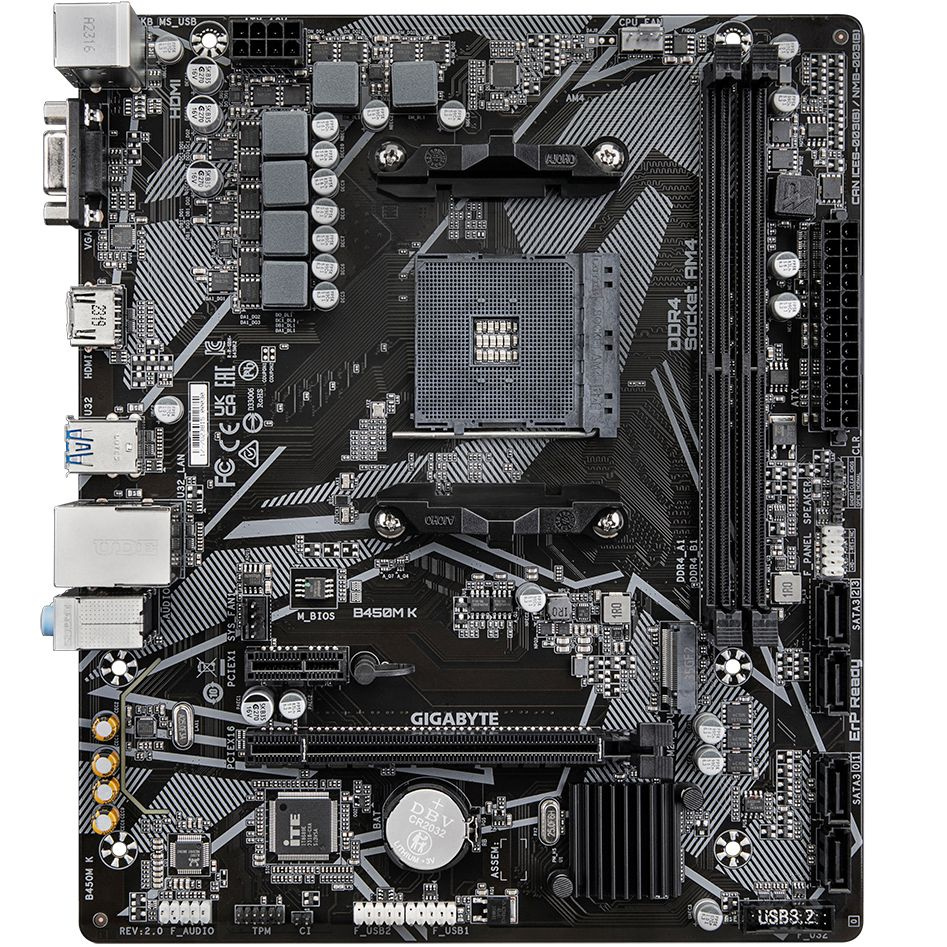
из инструкции: You may clear the CMOS values by removing the battery:1. Turn off your computer and unplug the power cord.2. Gently remove the battery from the battery holder and wait for one minute. (Or use a metal object like a screwdriver to touch the positive and negative terminals of the battery holder, making them short for 5 seconds.) 3. Replace the battery.4. Plug in the power cord and restart your computer. • Always turn off your computer and unplug the power cord before replacing the battery. • Replace the battery with an equivalent one. Damage to your devices may occur if the battery is replaced with an incorrect model. • Contact the place of purchase or local dealer if you are not able to replace the battery by yourself or uncertain about the battery model. • When installing the battery, note the orientation of the positive side (+) and the negative side (-) of the battery (the positive side should face up). • Used batteries must be handled in accordance with local environmental regulations.
CLR_CMOS (Clear CMOS Jumper) Use this jumper to clear the BIOS conguration and reset the CMOS values to factory defaults. To clear the CMOS values, use a metal object like a screwdriver to touch the two pins for a few seconds
Open: Normal
Short: Clear CMOS Values
• Always turn off your computer and unplug the power cord from the power outlet before clearing the CMOS values.
• After system restart, go to BIOS Setup to load factory defaults (select Load Optimized Defaults) or manually configure the BIOS settings (please navigate to the "BIOS Setup" page of GIGABYTE's website for more information)